 SpeedUpSongs
Slowed + reverb is an audio treatment that combines slower playback with reverberation, creating a longer, more spacious listening experience. The exact sound depends on how far you slow the recording down and how much reverb you add.
The effect is associated with many online music edits, but it can also be useful for original sound design, vocal experiments and atmospheric recordings.
What does “slowed” mean?
Slowing playback makes the recording take longer. In the classic linked-speed mode, it also lowers the pitch: a voice or instrument sounds deeper. For example, a 3-minute recording at 0.8× speed lasts approximately 3 minutes and 45 seconds before any effect tail.
There are also algorithms that slow down audio while aiming to preserve pitch. They create a different result and can introduce different artifacts. The Audio Speed Changer lets you explore that distinction.
What does “reverb” mean?
Reverb is the collection of reflections that remain after a sound is made, similar to the way a clap lingers in a large room. It is not simply a single echo that repeats at a fixed delay.
A reverb effect generally includes a dry part (the original sound) and a wet part (the processed reflections). Increasing the wet mix makes the environment more noticeable. Too much can blur vocals and percussion.
How to make a slowed + reverb edit
- Open the Slowed + Reverb Maker.
- Select an audio file you are allowed to edit.
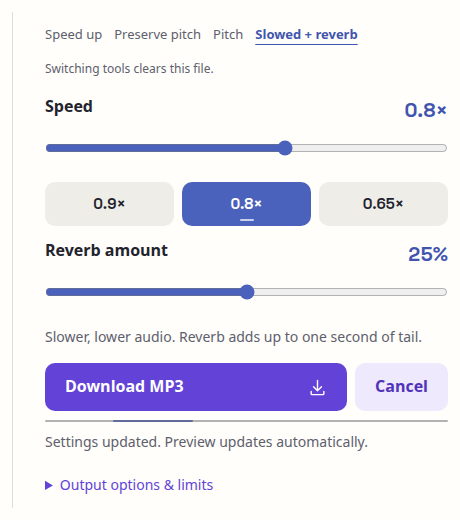
- Try a modest slow-down, such as 0.8×.
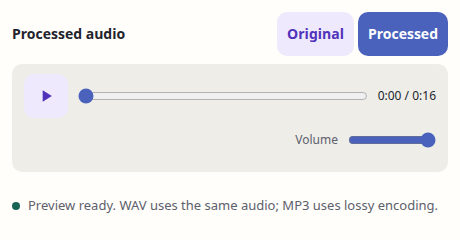
- Add a little reverb. The processed preview updates automatically; press Play to listen.
- Listen to the result. If it feels muddy, reduce the wet mix before exporting.
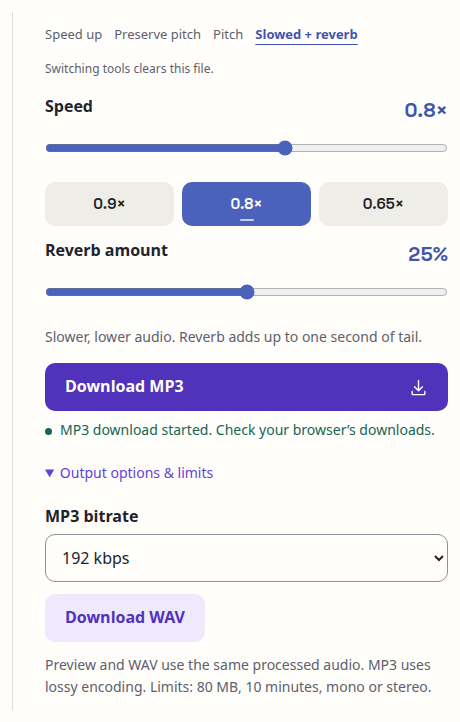
- Save your edited recording as MP3 or WAV if that export is supported.
Follow the steps on screen
Screenshots show the desktop editor using an original synthetic example. The same labeled controls are available on smaller screens.
1. Choose your file

2. Set the effect
3. Preview your edit
4. Save your edit
Settings worth trying
Subtle and clear: Small slowdown with low reverb. Preserves more rhythmic detail.
Dreamy and spacious: Moderate slowdown with a slightly stronger wet mix. Voices and sustained instruments may feel more atmospheric.
Very slow: Strong slowdown can dramatically change timbre and groove. Use carefully: it may sound less natural.
The right mix depends on the original recording. There is no universal preset that sounds good on every song.
Common questions
Is slowed + reverb the same as nightcore?
Not usually. Nightcore-style edits are typically faster and higher in pitch, whereas slowed + reverb edits are slower and more spacious.
Does adding reverb change the length of my file?
A reverb tail can extend beyond the original ending. The final length depends on the processing method and selected settings.
Can I share a slowed and reverb version of any song?
Only where you have the rights needed to share it. Editing a recording does not remove copyright restrictions.
Can I make it on my phone?
Yes on supported mobile browsers, but larger files need more local memory and processing time. Preview and export availability depend on device capabilities.